Loading version history...
Demo Builder for Perfex CRM
Links:
Demo
Note: Demo Builder for Perfex CRM is a module that supports automatic bulk demo data generation. It is not a standalone script; you must have Perfex CRM installed.
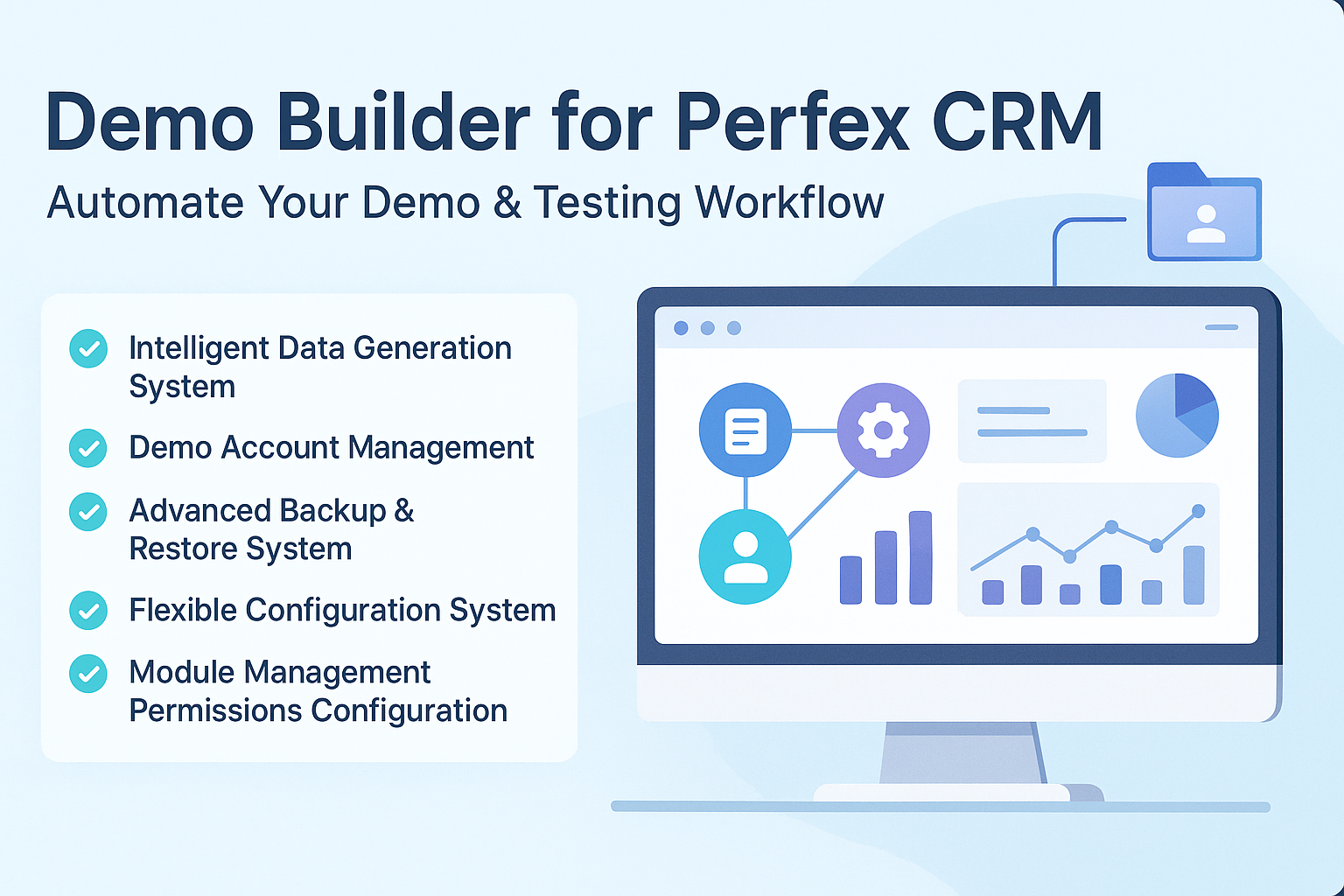
Transform demo site preparation into a fast, repeatable, sales-ready process. Generate rich, realistic Perfex CRM demos in minutes with automated data, protected accounts, and rapid resets that keep every showcase polished and consistent.
Demo Builder is a Perfex CRM module that automates bulk demo data generation, demo account creation, and controlled demo environments for teams that deliver product demos, client showcases, training sessions, or testing scenarios. It eliminates hours of manual setup while ensuring environments look real, behave reliably, and recover instantly from customer changes.
Smart Data Automation
Demo Builder automates interconnected Perfex CRM data creation, builds full ecosystems of entities, and manages realistic relationships so demo sites always look complete and production-like.
Demo Account Management & Access Control
It streamlines creation, indexing, synchronization, and protection of demo accounts while enforcing strict permission rules to maintain safe, non-destructive demo environments.
Backup, Restore & Recovery
Premium users gain advanced backup and restore tools that secure entire systems, enable instant rollbacks, automate schedules, and support large-scale dataset operations without timeouts.
Configuration & Customization
Flexible settings let teams fine-tune data counts, email domains, signature visualization, permissions, module visibility, and timed demo resets for predictable refresh cycles.
Security & Permission Architecture
Multi-layer safeguards block destructive actions, reinforce backend validation, and ensure only authorized staff can manage sensitive operations.
Modern Interface & UX
Vue.js-driven interfaces, responsive layouts, animations, and interactive elements create a smooth user experience across admin areas, login pages, dashboards, and mobile displays.
Integration & Extensibility
With deep Perfex CRM hook usage, shortcode support, route integration, and scheduled tasks, Demo Builder fits seamlessly into existing workflows and custom module environments.
Example of applying integration and calling polydemo shortcode to query documentation list data from module poly_demo as follows:[polydemo type="documentation" endpoint="https://polydemo.polyxgo.com/clients/project_roadmap/code/polyutilities/documentation"]
Resulting list of guide links for PolyUtilities module displays as follows, helping developers avoid adjusting content in multiple places and only handle it on main site.
Demo Builder’s intelligent data generation system automatically creates realistic data for more than twenty Perfex CRM entity types, giving your demo site a full ecosystem of projects, customers, invoices, tasks, tickets, subscriptions, and more. This ensures prospects see a mature environment rather than an empty system.
Dependency management with automatic topological sorting guarantees all entities are generated in the correct sequence, eliminating broken relationships and keeping demo data logically consistent. Dynamic email domain detection further adapts account creation to localhost or production environments, maintaining professional, predictable outputs.
Realistic status distributions for invoices and tasks bring natural variability to your demos, making every dataset look hand-crafted. Automatic payment generation reinforces authenticity by ensuring paid and partially paid invoices behave exactly as they should. Configurable min/max ranges give you full control over dataset size, while batch processing and safe truncate operations enable regenerations at any scale.
Demo account management lets you create unlimited admin, client, or hybrid accounts with smart numbering, instant search, and bulk creation. Password synchronization keeps linked accounts aligned, and domain-based email generation maintains professional formatting. Status toggles and filtering make ongoing account control effortless.
Robust permission restrictions prevent demo accounts from damaging systems. Critical settings, module installation, customer deletion, staff changes, and profile modifications stay locked or configurable, ensuring demos remain stable even under heavy user exploration.
Dashboard integration surfaces demo credentials in a clean widget, allowing one-click copying and instant access during presentations. Login form integration adds account selectors for admin and client areas, autofilling credentials and enabling URL parameter-based direct login—ideal for fast demonstrations.
Premium backup and restore capabilities enable full database and file backups with chunked processing for low memory usage. Smart compression dramatically reduces file sizes, while mysqldump integration delivers faster export performance. Restore workflows support scheduling, selective recovery, pre-restore backups, rollback safety, and integrity validation.
Advanced features such as cloud storage integration, backup encryption (planned), incremental backups (planned), and Telegram notifications add enterprise-level reliability. Backup analytics, excluded table management, and directory selection offer detailed operational control.
Configuration tools allow granular management of entity counts, email domains, and signature visualization—complete with keyword highlighting, color customization, auto-refresh, and line styling. Permissions for staff management, customer actions, and module operations remain fully adjustable.
Module visibility settings let teams show or hide modules across interfaces, while admin access control limits who can manage Demo Builder. Activity logging and last-generation tracking maintain transparency for all operations.
The security layer reinforces super admin exclusivity for critical tasks such as module activation, backup/restore operations, and access configuration. Permission hooks add backend and UI safeguards, complete with SweetAlert2 popups and 403 validations to block unauthorized behavior.
The Vue.js 3 interface delivers reactive components, real-time updates, and smooth animations. SweetAlert2 dialogs, loading overlays, fade transitions, and targeted updates make complex operations feel lightweight. Mobile users benefit from full-width panels, sticky navigation, and touch-friendly interaction patterns.
CSS architectures including BEM methodology, Tailwind integration, and Bootstrap utilities keep styling consistent and maintainable. Signature visualizer tools highlight keywords, render visual signature lines, and provide toggles for quick inspection.
Perfex CRM hooks allow Demo Builder to extend menus, inject scripts, manage login selectors, sync passwords, restrict operations, and integrate with cron jobs. Shortcodes through PolyDemo simplify embedding documentation, galleries, FAQs, or videos inside Perfex content editors. Route integration ensures clean endpoints and smooth activation/deactivation handling.
Demo Builder requires Perfex CRM and runs on PHP 7.4+ with MySQL/MariaDB 5.6+. It uses Vue.js 3.4.27 for frontend components, SweetAlert2 for dialogs, and Tailwind/Bootstrap/BEM for styling. Premium backup tools support chunked processing, cloud integration, and mysqldump acceleration. Performance remains stable with low memory usage, batch processing, and tested scalability across large datasets.
Demo Builder compresses setup, maintenance, and recovery of Perfex CRM demo sites into a fast, dependable workflow that scales with any sales, development, or training need. With automated data, safe accounts, instant resets, and powerful premium backup options, your demos stay consistent, professional, and always ready to impress.
Most Popular
Lifttime
$29
- Free installation
- Future updates
- Lifetime support
- Paid customization
For products sold outside the site - for example, on Envato (CodeCanyon.net) - we are the exclusive authors under Envato’s platform. These products can only be sold and supported on Envato. Therefore, you cannot purchase them elsewhere if you wish to receive our official support and updates.
es. We handle feature integration based on customer requirements and descriptions. If a module has the features you need, you can send a separate request to polyxgo@gmail.com
You can download the product through the purchase receipt or your account dashboard. Installation steps are included in the documentation folder. For products on Envato (Codecanyon) access the Download section after you log in.
Yes, we provide basic installation and setup support for all purchased products.
Usage depends on the license type. Standard licenses typically allow one installation per purchase.
Updates are delivered through your account dashboard or marketplace where you purchased the product.
Please send us details, screenshots, and steps to reproduce the issue so our support team can assist you. You can create tickets on the system or email polyxgo@gmail.com.
Support duration follows the policy of the marketplace or package you purchased, typically 6–12 months.
Yes, all products include documentation to help you install and use the features. The data is connected to the system for each corresponding product project, and the documentation always provides the latest feature information and instructions from the project.
Yes, we offer custom development based on your requirements. For products sold exclusively and features already available on products listed on Envato, we integrate the additional features and update them through Envato. Only completely different features that require separate handling based on specific business workflows will be processed as a standalone service according to your detailed requirements.
Yes, we provide a live demo so you can test features before purchasing.
You can renew support through your marketplace account or by contacting us directly.

Product Information
Latest Version:
1.2.0
Compatible:
CodeIgniter 3.2.1+
Category:
Modules for Perfex CRM
Updated:
Nov 17, 2025
Created:
Sep 05, 2016
Sales:
3
licenses sold
Released:
Oct 21, 2025